


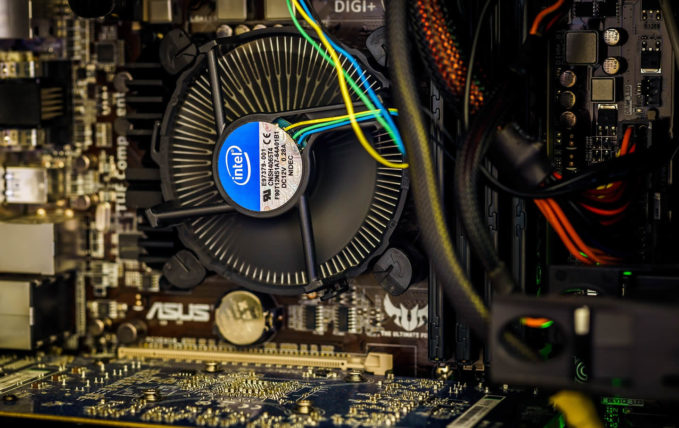
A computer is just another tool that when taken care of, will happily and easily serve you for a very long time. Just as you should regularly take your vehicle into an auto repair shop, you should do some routine maintenance every few months or year to keep your computer running well. If you need an upgrade, then check out these custom-built gaming PCs.
Keep your computer clean and cool
Heat is the downfall of most computer components. More heat means that the components will degrade faster or issues may arise, so reducing the heat generally increases the lifespan of a gaming computer. A few tips include:
- Dust your computer semi-regularly. This will improve airflow in your computer, allowing more cool air to cool off your computer. Take a rag or a feather duster to the fans and metal heatsinks to clear away all the dust.
- Add fans to your computer. More fans mean more airflow in and out of the computer. You should have an equal number of fans blowing cool air in and hot air out.
- Replace the thermal paste between your CPU and the cooler. There are a lot of comprehensive tutorials on how to do this, but this should only be necessary after about 3-5 years after the computer leaves the factory.
Clean up your software
Most computers run their fastest when they are brand new and not loaded down with any software. But of course, computers are used to run the software, so installing more programs than just the operating system is necessary. The good thing is that most programs will only use up your computer’s resources when they are active and loaded. Even web browsers will have inactive tabs be unloaded if there are many tabs open to save resources for the ones you are looking at. Not all programs are as nice, though.
- Reduce the number of active programs. Close programs that you aren’t using to save resources. Extra programs hidden in the system tray (programs with small icons on the right side of the taskbar) can also be closed by right-clicking and closing them. Also, open Task Manager in Windows and go to the startup tab and disable everything you don’t use every time you turn on your computer.
- In the Control Panel, go to the program list and uninstall old programs you don’t need. Most antivirus programs are heavy on computers and run too often. Also, any program purporting to optimize or speed up your computer often won’t do it properly and can often be malware.
- Open Window’s Optimize Drives utility and optimizes all the drives on your computer. This can take a few minutes but will help programs boot up more quickly.
- Update Windows manually, which will help prevent it from trying to download in the background and steal resources to do that. You can also defer Windows Updates by up to a month, which will help abate random slowdowns.
- Lastly, a clean install of Windows is probably a good idea if your computer is very sluggish. Make sure to back up all your necessary documents and pictures, and install everything again from scratch. This can massively improve performance but is a much more involved process than the things above.
An upgrade might be necessary
Sometimes an old computer is just old. Everything has a lifespan, including computers. But don’t just throw out a perfectly good computer when a single component may be slowing the entire system down.
- Make sure that you have an SSD and that Windows is installed on it. This is the single biggest improvement in computing and is a very cheap and easy way to breathe fresh life into an older computer. Even a brand new, top-spec gaming computer will be painfully slow without an SSD.
- A better CPU cooler will help. Most pre-built computers come with small and cheap heatsinks which are loud and bad at cooling the CPU. Going with a bigger air cooler, like a Hyper 212, or a liquid cooling unit can help control spikes of heat that your CPU will generate, and can help sustain higher performance for longer periods of time.
- A better CPU may be necessary if you do a lot of photo and video editing, or CAD work. In the past 3 years, huge leaps and bounds have been made for computer processors, and the software has caught up to the point where old parts feel significantly slower.
- A better GPU will help speed up video renders and improve gaming experiences. Gaming GPUs constantly are being upgraded and improved, so any upgrade is typically noticeable and welcome.
Lastly, if you think you need all of the above, starting fresh with a new computer probably is the best way to go. Make sure to bring your old computer to a local electronics retailer to have it properly recycled. Many components in a computer are toxic and are not supposed to be in a landfill.
Photograph by Tookapic